
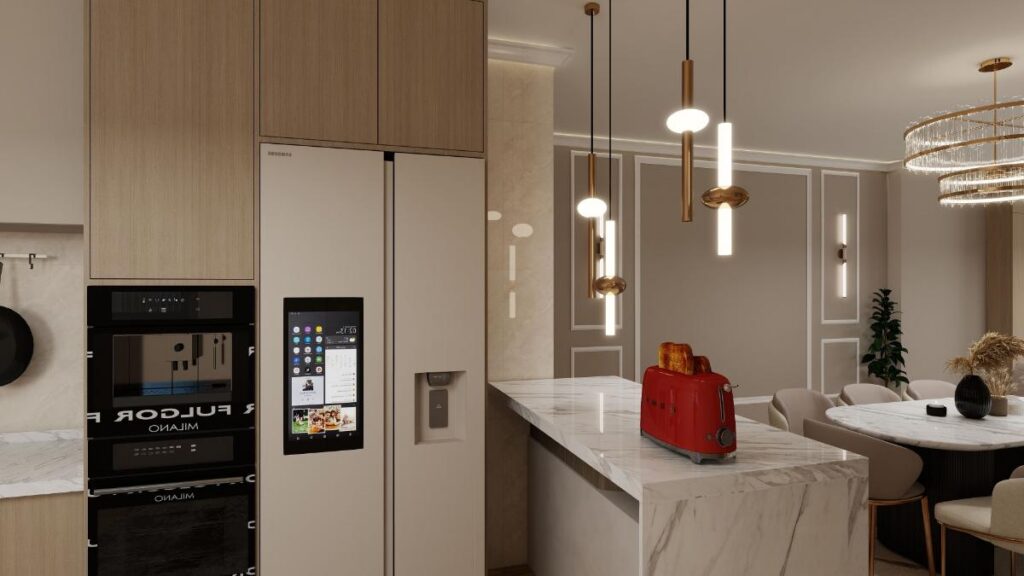
Smart refrigerators promise a lot: cameras inside the fridge, touchscreens on the door, phone alerts and voice control. Some of those features genuinely save energy, food or hassle. Others are mostly there to look impressive in the showroom. And all of them come with a higher price, more electronics to repair, and software that will eventually stop being updated.
This guide breaks down which smart fridge features are actually useful, which ones help with energy use, which shine when you are hosting a big holiday meal, and how to decide whether a smart fridge is worth it for your home.
What Makes a Fridge “Smart”?
A smart fridge is a refrigerator that connects to your home Wi-Fi and an app. Depending on the model, that connection can add some or all of these features:
- App control and alerts: change temperatures, get door-open and temperature warnings, and check the fridge while you are away.
- Internal cameras: see what is inside from your phone, for example while you are at the grocery store.
- Touchscreen displays: shopping lists, calendars, notes, recipes and sometimes music or video on the door.
- Voice assistant support: works with assistants such as Alexa, Google Assistant or a brand’s own assistant.
- Food tracking: log items and get reminders before they expire.
- Diagnostics: the fridge can report error codes to the app or to a service technician.
Many “smart” models also have features that are not really smart at all, such as variable-speed compressors, flexible temperature drawers or measured water dispensers. Those often appear on non-connected fridges too.
Smart Features That Can Help With Energy Use
A smart fridge does not automatically use less electricity than a regular one. Its energy use depends mostly on its size, layout, compressor and insulation, which is what the yellow EnergyGuide label measures. That said, a few connected features can help you avoid waste:
1. Door-Open and Temperature Alerts
A door left ajar is one of the most common causes of wasted energy and spoiled food. A phone alert means you find out in minutes rather than hours. This is arguably the single most useful smart feature.
2. Energy Use Monitoring
Some apps show how much energy the fridge is using. Seeing a spike can point you to a problem, like a worn door seal or dusty condenser coils, before it becomes a repair.
3. Demand Response and Off-Peak Scheduling
Some connected fridges can delay energy-hungry tasks, such as the defrost cycle, to off-peak hours, or take part in utility programs that ease demand on the grid. This only saves money if your utility offers time-of-use rates or such a program.
4. Remote Temperature Control and Diagnostics
Being able to check and adjust temperatures from your phone, and receive error codes early, helps you keep the fridge running efficiently and catch problems before food is lost.
Efficiency Features That Aren’t Really “Smart”
Variable-speed (inverter) compressors and adaptive defrost save energy, but you can find them on regular fridges too. If energy savings are your main goal, compare EnergyGuide labels and look for ENERGY STAR certification rather than paying extra for connectivity.
Features That Are Mostly About Convenience
These features can make daily life easier, but they do little or nothing for energy use. Screens and Wi-Fi radios draw a small amount of power around the clock.
| Feature | What it does | Energy impact |
|---|---|---|
| Touchscreen display | Lists, calendars, recipes, notes, media | None; adds a small standby draw |
| Internal cameras | Shows fridge contents on your phone | Little; may mean fewer door openings |
| Voice control | Hands-free lists, timers and settings | None |
| Wi-Fi connectivity | Enables app control and alerts | Small standby draw |
| Auto-fill water pitcher | Refills a pitcher inside the fridge | None |
Smart Features That Shine When You’re Hosting
Holidays and big gatherings are when smart features earn their keep. If you already own a smart fridge, set these up before the busy season:
- Check the cameras while shopping so you don’t buy a third tub of cream cheese or forget the butter.
- Build shared shopping lists on the door screen or app, so everyone in the house can add what runs out.
- Use flexible temperature drawers to chill drinks quickly, hold cheese platters, or make room for a thawing turkey.
- Turn on door alerts for days when guests and kids are opening the fridge constantly.
- Track leftovers with expiration reminders so food is eaten or frozen in time.
- Keep an eye on the fridge while traveling with remote monitoring and temperature alerts.
- Use the family calendar to coordinate cooking tasks, guests and party plans.
Whatever fridge you have, food safety still comes first: keep the fridge at 40°F or below and get leftovers into it within two hours of cooking.
The Downsides of Smart Fridges
- Higher price: smart models usually cost noticeably more than similar non-connected fridges.
- More to go wrong: screens, cameras and control boards add parts that can fail and cost more to repair.
- Software lifespan: a fridge can last well over a decade, but app support and updates may not.
- Privacy and security: connected appliances need an account, and like any device on your network they should be kept up to date.
- Wi-Fi dependence: without a connection, the smart features stop working (the fridge itself keeps cooling).
So, Are Smart Fridges Worth It?
For energy savings alone, usually not. The price premium is hard to earn back on your electricity bill, and a well-chosen regular ENERGY STAR fridge can be just as efficient. A smart fridge makes more sense when you will actually use the convenience features every week. Ask yourself:
- Is your current fridge more than 10 years old and due for replacement anyway?
- Do you often forget what’s in the fridge and end up throwing food away?
- Are you comfortable managing appliances through a phone app?
- Is your kitchen already part of a smart home setup?
- Do you host often, or travel and want to monitor the fridge remotely?
- Are you willing to pay extra for convenience rather than savings?
If you answered yes to three or more, a smart fridge is likely a good fit. If not, put that money toward a better-sized, more efficient regular model.
How to Compare Energy Use When Shopping
- Check the EnergyGuide label: it lists estimated yearly energy use in kWh, the best number for comparing models.
- Look for ENERGY STAR: certified fridges use less energy than the federal minimum. Learn more in our guide to ENERGY STAR refrigerator ratings.
- Compare similar sizes and styles: a large French door fridge will use more energy than a smaller top-freezer model, smart or not.
- Estimate running costs: multiply the label’s kWh figure by your electricity rate. Our guide to the cost of running a fridge walks through the math.
Getting the Most From a Smart Fridge
- Install software updates when the app offers them.
- Turn on door and temperature alerts first; they deliver the most value.
- Review the energy dashboard occasionally to spot unusual spikes.
- Keep the fridge organized so you open the door less, cameras or not.
- Follow the basics: clean the coils, check the door seals and avoid overfilling. See 20 simple ways to reduce your fridge’s energy use.
Frequently Asked Questions (FAQs)
Do smart fridges use more electricity?
Slightly more in standby, because screens and Wi-Fi radios stay powered. In practice a smart fridge’s energy use depends far more on its size, compressor and insulation. Compare the yearly kWh figure on the EnergyGuide label.
Will a smart fridge save me money?
Rarely through electricity savings alone. Door alerts, food tracking and remote monitoring can reduce food waste, which is where most of the practical savings come from.
Does a smart fridge work without Wi-Fi?
Yes. It keeps cooling normally, but app control, alerts, cameras and other connected features stop working until it is back online.
How long will a smart fridge’s software be supported?
It varies by brand. Before buying, check how long the manufacturer commits to app support and security updates, because the fridge itself may outlast them.
Are smart fridges secure?
Like any connected device, they are as secure as their software and your network. Use a strong Wi-Fi password, keep the fridge updated, and only connect the features you use.
The Bottom Line
Smart fridges are worth it for people who will use their convenience features every week, especially door alerts, cameras and food tracking. They are rarely worth it for energy savings alone. If you decide to go smart, compare models in our smart refrigerators under $3000 guide or browse the smart refrigerators hub. Still deciding on size and style? Start with how to choose a refrigerator.